Screenshots
Introduction
StayFree - Screen Time is an innovative app developed by ST Pulse that serves as a productivity companion for individuals seeking to manage their screen time and enhance their digital wellbeing. This app is designed for users of all types, whether you casually check your phone or find yourself struggling with phone addiction. StayFree empowers users to monitor their app usage, set limits, and cultivate self-discipline, ultimately improving productivity and enhancing the balance between digital life and personal time. With a range of features that cater to both light and heavy users, StayFree stands out as a comprehensive solution for anyone looking to better understand their digital habits.
Graphics & Gameplay
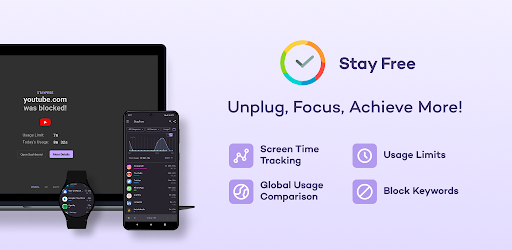
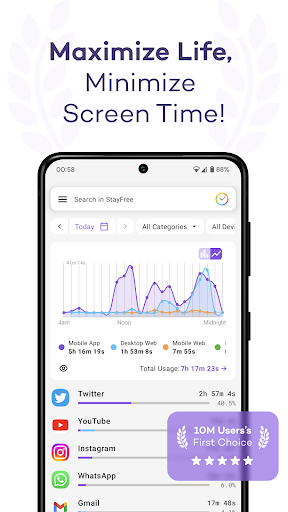
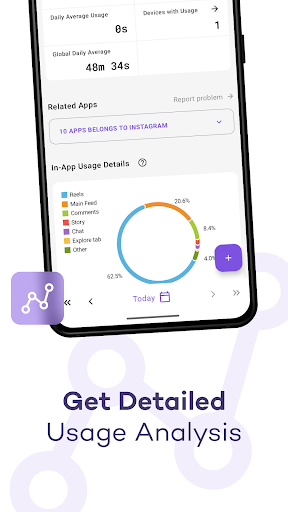
The visual presentation of StayFree is clean, modern, and user-friendly. Upon launching the app, users are greeted with a dashboard that displays essential statistics on their screen time and app usage in an easily digestible format. The graphics include vibrant charts and graphs that visually represent data, allowing users to quickly grasp their usage patterns. The color palette used is pleasing to the eye, with contrasting colors that help differentiate between various metrics. Screenshots showcase intuitive navigation, with buttons and options that lead to detailed breakdowns of usage history, making it accessible for users of all ages. The layout is thoughtfully designed to minimize distractions, allowing users to focus on their goals of reducing screen time.
Key Features
- Detailed Usage History: Access comprehensive charts and statistics that provide insights into app usage across all devices.
- Cross-Platform Compatibility: Connect and sync usage data across multiple platforms, including Windows, Mac, Linux, and Chrome/Firefox browsers.
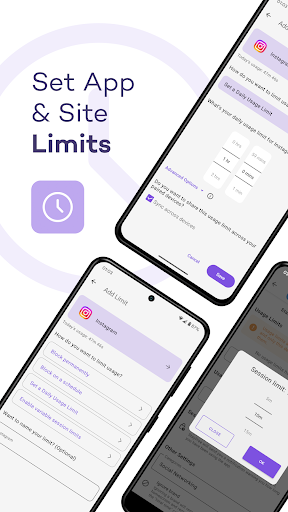
- Over-Use Reminders: Receive notifications when you exceed your set time limits on specific apps, encouraging mindful usage.
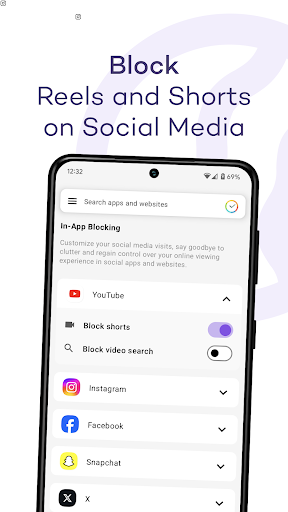
- App Blocking: Temporarily or permanently block apps that distract you from your productivity goals.
- Focus Mode: Create schedules to block distracting apps during specific times, helping you concentrate on important tasks.
- Sleep Mode: Disable all apps to help you unwind and promote better sleep habits.
- Website Usage Tracking: Gain insights into your web browsing habits by seeing which sites you visit the most.
- Export Usage Data: Save your usage statistics in a CSV file for further analysis and personalization.
- Security Features: Set a password for changing app settings, ensuring that your self-control measures remain intact.
- Widgets: Utilize home screen widgets to view your most used apps and total usage at a glance.
Mod Features
- Premium Unlocked: Enjoy all premium features of StayFree without any subscription fees, enhancing your experience without limitations.
- No Ads: Experience the app without any interruptions from advertisements, allowing for a seamless user experience.
- Unlimited Customization: Tailor the app's settings and features to your liking without restrictions, making it easier to manage your digital habits.
- Enhanced Analytics: Gain access to advanced analytics tools that provide deeper insights into your screen time trends and usage patterns.
- Custom Themes: Personalize the app interface with various themes, making the usage experience more enjoyable and visually appealing.
How to Install APK on Android
Installing the StayFree - Screen Time APK on your Android device is a straightforward process. Follow these steps:
- Enable Unknown Sources: Go to your device's Settings > Security, and enable the option to install apps from unknown sources.
- Download the APK: Click on the following link to download the StayFree APK file: StayFree - Screen Time APK.
- Locate the APK File: Once the download is complete, navigate to your device's Downloads folder and locate the APK file.
- Install the App: Tap on the APK file to initiate the installation process. Follow the on-screen instructions to complete the installation.
- Open StayFree: After installation, launch the app from your app drawer and start managing your screen time!
Conclusion
StayFree - Screen Time is an essential tool for anyone looking to improve their digital wellbeing and enhance productivity. With its array of features designed to help users monitor and manage their screen time effectively, it stands out as a top choice in the productivity app category. Whether you're striving to reduce distractions or simply want to gain insights into your usage patterns, StayFree provides the tools necessary to achieve your goals. Don't hesitate to take control of your digital life—download StayFree today!
Ready to start your journey towards better digital wellbeing? Download StayFree - Screen Time now: StayFree - Screen Time APK.