Screenshots
Introduction
GlassCockpit To Sim is a sophisticated application designed for aviation enthusiasts and flight simulation aficionados. Developed by Peix Software, this app functions as a primary flight display, providing an integrated flightdeck system that includes comprehensive flight instrumentation, navigation, engine data, and landing gear and flap systems. Notably, it also features an autopilot system modeled after the GFC 700, enhancing the realism of your flight simulation experience.
However, it is crucial to note that GlassCockpit To Sim cannot operate independently; it requires a connection to an external flight simulator via WiFi to access data. The app is primarily designed for compatibility with Microsoft Flight Simulator X and Prepar3D, utilizing FSUIPC and PeixConnect for seamless integration. While it can also work with X-Plane, users may encounter some limitations due to the inherent restrictions of its UDP protocol. For users interested in exploring its full capabilities, detailed requirements and setup instructions can be found on the official Peix Software website.
Graphics & Gameplay
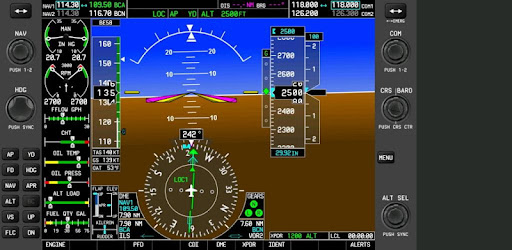
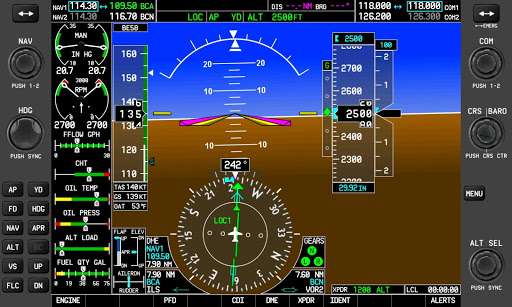
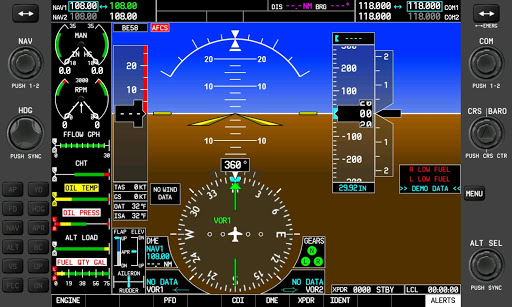
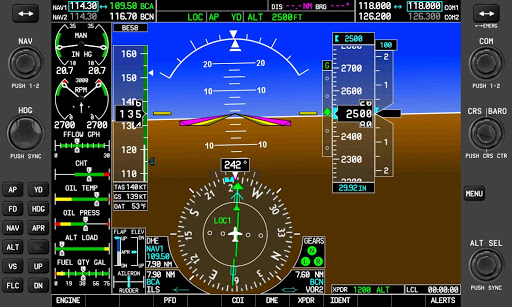
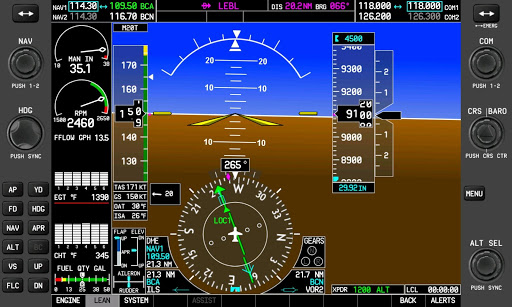
The visuals of GlassCockpit To Sim are impressive and tailored for a realistic simulation experience. The screenshots reveal a sleek and modern interface that mimics the appearance of actual cockpit displays. The primary flight display features well-organized instrumentation, with clear readings and vibrant color schemes that enhance visibility and usability. The layout is intuitive, making it easy for users to monitor flight data at a glance.
Key elements like altitude, speed, heading, and navigation data are prominently displayed, allowing for quick assessments during flight. The graphical representation of engine data is detailed, showcasing real-time information crucial for pilots. The inclusion of landing gear and flap system displays adds to the immersive experience, ensuring that users can manage their aircraft effectively.
Key Features
- Comprehensive Flight Instrumentation: Access to a complete set of flight instruments, including altitude, airspeed, heading, and navigation data.
- Integrated Flightdeck System: A cohesive interface that combines various flight systems, providing a holistic view of aircraft performance.
- Autopilot System: Features the advanced GFC 700 autopilot system for enhanced flight management.
- Multi-Platform Compatibility: Designed for Microsoft Flight Simulator X and Prepar3D, with some limited functionality for X-Plane.
- Default Aircraft Configurations: Comes pre-configured for multiple aircraft models, including popular choices like the Cessna C172R and Beechcraft Baron 58.
- WiFi Connectivity: Requires a WiFi connection to interact with external flight simulators, ensuring real-time data transfer.
Mod Features
- Premium Unlocked: Gain access to all features without any limitations, allowing for a fully immersive experience.
- No Ads: Enjoy an uninterrupted flying experience without any advertisements interrupting your simulation.
- Unlimited Money: While not applicable in this context, the idea of unlimited resources could translate into unrestricted access to premium features or additional aircraft models, enhancing your flight experience.
- Enhanced Aircraft Profiles: Access additional and detailed profiles for a wider variety of aircraft, enriching the overall selection and realism.
- Advanced Configuration Options: Customize your flight display settings further to suit personal preferences and enhance usability.
How to Install APK on Android
Installing the GlassCockpit To Sim APK on your Android device is straightforward. Follow these steps to ensure a successful installation:
- Download the APK File: Visit the official APK link at this site and download the latest APK version.
- Enable Unknown Sources: Before installing, go to your device's Settings > Security, and enable the option to install applications from unknown sources.
- Locate the APK: Use a file manager to navigate to the folder where the APK was downloaded.
- Install the APK: Tap on the APK file and follow the on-screen instructions to install the application.
- Connect to WiFi: Ensure your device is connected to WiFi to link the app with your flight simulator.
- Launch the App: Open GlassCockpit To Sim and configure it to connect to your flight simulator, following any additional instructions provided on the Peix Software website.
Conclusion
GlassCockpit To Sim is a powerful tool for flight simulation enthusiasts, offering an immersive and realistic experience that enhances the way you interact with flight simulators. With its comprehensive features, intuitive design, and robust connectivity options, it positions itself as an essential app for anyone looking to elevate their virtual flying experience. Ready to take your flight simulation to new heights? Don't wait. Download GlassCockpit To Sim now!