Screenshots



Introduction
Flash Alert - Flash App is a versatile application developed by Applus Studio, designed to enhance your smartphone experience by providing innovative features that leverage the mobile device's flashlight. With version 2.0.1, this app stands out in the crowded market of notification management tools by offering flash alerts for incoming calls, SMS, and various messaging applications like Facebook Messenger, WhatsApp, and Telegram. The app not only serves as a flash notification tool but also incorporates a handy flashlight function, making it a must-have for Android users who often find themselves in noisy environments or those who may have hearing impairments.
Graphics & Gameplay
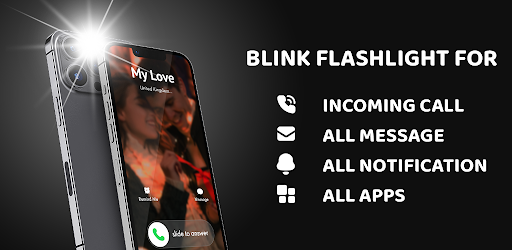
The visuals of the Flash Alert app are clean and functional, focusing on utility rather than unnecessary embellishments. The screenshots depict a straightforward user interface that is intuitive to navigate. The main screen showcases simple controls for turning the flashlight on and off, while the settings menu allows users to customize flash notifications effortlessly. The app's design emphasizes functionality, with easy-to-read icons and text that make it accessible for users of all ages.
One notable visual feature is the customizable flash speed settings, which is represented with a slider for easy adjustments. The compass feature is also visually represented, helping users find their way in offline mode with a classic design that mirrors traditional compasses. Overall, the graphics serve their purpose well, providing a user-friendly experience without overwhelming users with complex interfaces.
Key Features
- Flash Notifications: The app alerts users of incoming calls, text messages, and notifications from various applications through a blinking flashlight, ensuring that you never miss an important alert, even in noisy or quiet environments.
- Customization Options: Users can customize the length and frequency of the flashlight flashes, tailoring the alerts to their preferences and needs.
- Do Not Disturb Mode: For those moments when silence is necessary, the app includes a Do Not Disturb mode, allowing users to select specific time frames to suppress flash alerts.
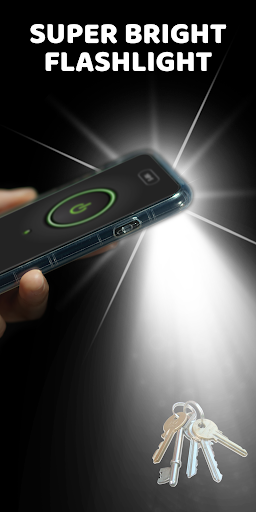
- Integrated Flashlight: The app doubles as a flashlight with the capability to turn on the mobile device's camera flashlight, useful for reading or finding objects in dark spaces.
- Compass Feature: A built-in compass helps users navigate without the need for internet connectivity, making it a handy tool for outdoor adventures.
- Battery Friendly: The developers claim that the app is designed to be battery-efficient, ensuring that it does not significantly drain your device's battery life.
Mod Features
- Premium Unlocked: Enjoy all premium features without any additional charges. Unlock customization options for flash alerts and flashlight settings.
- No Ads: Experience the app without interruption from advertisements, providing a smoother user experience.
- Unlimited Flash Patterns: Access unlimited flash patterns and styles, allowing for a more personalized notification experience.
- Custom Themes: Users can choose from various themes and colors for the app interface, making it aesthetically pleasing and uniquely theirs.
- Enhanced Compass Features: Get access to advanced compass functionalities, including GPS support and location sharing options.
How to Install APK on Android
Installing the Flash Alert - Flash App on your Android device is a straightforward process. Follow these steps for a smooth installation:
- Download the APK: Visit the official download link or search for "Flash Alert - Flash App APK" to obtain the APK file.
- Enable Unknown Sources: Go to your device's Settings > Security > Unknown Sources, and enable it to allow installations from third-party sources.
- Locate the APK: Using a file manager, navigate to the location where you downloaded the APK file.
- Install the APK: Tap on the APK file and follow the on-screen instructions to install the app.
- Launch the App: Once installation is complete, open the Flash Alert app and customize your settings according to your preferences.
Call to Action
If you want to enhance your smartphone's notification capabilities and enjoy the convenience of a flashlight at your fingertips, download Flash Alert - Flash App now! Experience the benefits of never missing an important call or message again while also having a handy flashlight available whenever you need it.